How to Build a “Client Request Triage” System for Lifestyle Management
If your lifestyle-management or concierge business feels like it’s always “on fire,” the issue is rarely that clients are unreasonable. More often, it’s that requests are arriving through too many channels, getting interpreted differently by different people, and being handled without a consistent definition of what is truly urgent.
A client request triage system for a lifestyle management company is the structure that answers three questions every time a request comes in: (1) How urgent is this? (2) Who owns it next? (3) What does the client need to hear right now? When those answers are consistent, your team can move faster, protect the client experience, and reduce owner-dependence—without pretending a high-trust service business can run without leadership.
Below is a decision guide you can use to design a triage system that fits the realities of concierge work: discretion, access to homes, vendor coordination, and clients who expect responsiveness.
1) What a “client request triage system” is (and what it is not)
A triage system is a repeatable decision framework for intake and prioritization. It is not a script that makes every situation identical, and it is not a way to “train clients” to stop needing things.
In a concierge business, triage protects two things at the same time:
– The client experience: the right work gets attention quickly, with clear communication.
– The business: your team’s capacity is used intentionally, and the owner isn’t forced to personally interpret every request.
A strong triage system usually includes:
– A single intake pathway (or a controlled set of pathways)
– Defined urgency categories
– Response standards by category (what you acknowledge, when, and how)
– Assignment rules (who owns it next)
– Escalation rules (when the owner or a senior lead must be involved)
– A review rhythm so the system stays accurate as your business evolves
If you’re thinking, “We already have a spreadsheet/inbox/Slack channel,” that may be a tool—but triage is the operating standard behind the tool.
2) Define your triage categories and response standards
The fastest way to reduce “everything is urgent” is to define urgency in business language your team can apply.
A practical starting point is three categories. You can rename them, but keep the logic simple:
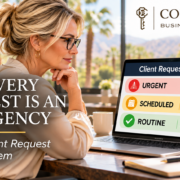
Category A: Time-critical/risk-sensitive
Use this when delay creates real risk: property damage, safety issues, access problems, travel-day disruptions, or anything that could materially impact the client’s home, schedule, or security.
What to standardize:
– Acknowledgment time: how quickly someone confirms receipt
– First action: what “we’re on it” actually means (e.g., call vendor, dispatch team member, confirm access)
– Escalation: when a lead or owner must be notified
Category B: Important, scheduled
This is the bulk of concierge work: vendor coordination, project planning, reservations with flexibility, errands, home readiness, and proactive tasks that matter but aren’t minute-by-minute.
What to standardize:
– Acknowledgment time
– Scheduling rule: when it gets placed on the calendar/task board
– Client update cadence: when the client should expect the next update
Category C: Routine / whenever-ready
These are low-risk items that can be bundled: research requests, non-urgent shopping, “nice to have” tasks, and items that can wait until a planned admin block.
What to standardize:
– Acknowledgment time (still important)
– Batch rule: when your team processes these (e.g., daily at 3 pm, or twice weekly)
Key decision: define urgency by impact, not by client tone.
Some clients will write “ASAP” on everything. Your system should translate that into impact-based priority. That’s how you protect service quality without letting the loudest message set your day.
Illustrative example (not a promise of outcomes): A “garage door left open” message might be Category A because of security risk, while “can you price out new patio furniture options” might be Category C even if the client texts it at 9 pm.
3) Choose where requests enter (and how you prevent side channels)
Triage breaks down when requests come in everywhere: text messages, DMs, emails, voicemails, and “quick asks” during unrelated calls. You don’t need to eliminate every channel overnight, but you do need a controlled intake design.
Use these criteria to decide your intake approach:
– Speed: Can your team see it quickly enough for Category A items?
– Visibility: Can more than one person see it (so it doesn’t live in one phone)?
– Ownership: Can you assign it clearly to a person?
– History: Can you find the request later (for quality control and client continuity)?
– Client ease: Is it realistic for your client base?
A common, workable structure is:
– One primary intake channel for non-urgent requests (often email or a client portal/form)
– One urgent channel (often phone call or a dedicated number) for Category A
– A rule for what happens when a request arrives in a side channel
The side-channel rule matters more than the perfect tool. For example:
– If a request comes via text, the team member replies with a short acknowledgment and then logs it into the system immediately.
– If a request comes via a personal DM, it gets redirected: “I’ve got it—please send that to [official channel] so our team can track it and keep you updated.”
This is not about being rigid. It’s about making sure the request becomes trackable work, not a memory test.
4) Assign ownership: who decides, who does, and who updates the client
In owner-dependent concierge businesses, the hidden bottleneck is decision ownership. Even with a task tool, the owner becomes the default triage nurse: interpreting, prioritizing, and deciding what “good” looks like.
Build your triage system with three distinct roles (one person can hold more than one role, but the roles must be clear):
– Triage owner (decides priority and next step)
– Task owner (does the work or coordinates vendors)
– Client communicator (sends updates and closes the loop)
Decision criteria to document:
– What a team member can approve without escalation (spend limits, vendor selection rules, access rules)
– What requires a second set of eyes (new vendor, unusual risk, anything involving home access changes)
– What requires owner involvement (client conflict, scope boundary issues, exceptions to standards)
If you want delegation without losing the client experience, your team needs two things:
– Standards: what “done” means
– Authority: what they’re allowed to decide
Without both, triage becomes constant interruptions: “Quick question…” all day.
5) Run a weekly review, so triage improves instead of drifting
A triage system is not a one-time setup. Concierge work changes with seasons, staffing, and client mix. The fix is a short, repeatable review rhythm.
A simple weekly operations review can include:
– Category A recap: What came in as urgent? Was it truly urgent? Did we respond fast enough?
– Category B aging: What’s sitting too long? Is it a capacity issue or a clarity issue?
– Category C batching: Are routine tasks being processed on schedule?
– Escalation audit: What got escalated to the owner? Should that become a documented rule or template?
– Client experience signals: Where did communication lag, even if the task got done?
This is also where you refine your definitions. If you repeatedly argue about whether something is urgent, your categories are too vague.
6) Common failure points (and how to fix them fast)
Failure point 1: “Urgent” means “whoever saw it first.”
Fix: Define Category A triggers in writing (risk, access, safety, travel-day disruption) and require logging/assignment before action whenever possible.
Failure point 2: Your team acknowledges, but doesn’t set expectations.
Fix: Standardize acknowledgment messages by category. The goal is not a canned response; it’s a clear next step. Example: “Received. We’re contacting the vendor now and will update you by [time window].”
Failure point 3: Side channels become the real workflow.
Fix: Make logging non-negotiable. If it isn’t in the system, it isn’t real work. (You can say this internally; you can phrase it more client-friendly externally.)
Failure point 4: Escalation is based on anxiety, not rules.
Fix: Create an escalation checklist: new vendor, new access method, high-dollar spend, safety risk, or anything outside documented standards.
Failure point 5: The owner is still the quality-control engine.
Fix: Convert repeated owner decisions into standards: checklists, templates, and “definition of done.” Over time, the owner’s role shifts from answering the same questions to reviewing exceptions.
Where Concierge Business Solutions fits
Concierge Business Solutions exists for this exact problem: talented service providers building strong client relationships, but getting trapped in reactive delivery and constant availability. The goal isn’t to add more tools. It’s to build structure that protects service quality and creates owner freedom through systems, standards, and delegation.
If your next step is to identify where your business depends too heavily on you—and what to fix first—the entry point is the 5 Days to Freedom Challenge. It’s designed to help you step out of reaction mode and start building operational independence (source: https://conciergebusinesssolutions.com/the-5-day-freedom-challenge/).