
Tag Archive for: #OperationalEfficiency

Posts

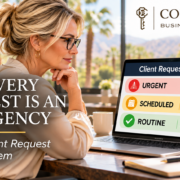
Client Request Triage System for Concierge Businesses

How to Build a “Client Request Triage” System for Lifestyle Management

If your lifestyle-management or concierge business feels like it’s always “on fire,” the issue is rarely that clients are unreasonable. More often, it’s that requests are arriving through too many channels, getting interpreted differently by different people, and being handled without a consistent definition of what is truly urgent.

A client request triage system for a lifestyle management company is the structure that answers three questions every time a request comes in: (1) How urgent is this? (2) Who owns it next? (3) What does the client need to hear right now? When those answers are consistent, your team can move faster, protect the client experience, and reduce owner-dependence—without pretending a high-trust service business can run without leadership.

Below is a decision guide you can use to design a triage system that fits the realities of concierge work: discretion, access to homes, vendor coordination, and clients who expect responsiveness.

1) What a “client request triage system” is (and what it is not)

A triage system is a repeatable decision framework for intake and prioritization. It is not a script that makes every situation identical, and it is not a way to “train clients” to stop needing things.

In a concierge business, triage protects two things at the same time:

– The client experience: the right work gets attention quickly, with clear communication.
– The business: your team’s capacity is used intentionally, and the owner isn’t forced to personally interpret every request.

A strong triage system usually includes:

– A single intake pathway (or a controlled set of pathways)
– Defined urgency categories
– Response standards by category (what you acknowledge, when, and how)
– Assignment rules (who owns it next)
– Escalation rules (when the owner or a senior lead must be involved)
– A review rhythm so the system stays accurate as your business evolves

If you’re thinking, “We already have a spreadsheet/inbox/Slack channel,” that may be a tool—but triage is the operating standard behind the tool.

2) Define your triage categories and response standards

The fastest way to reduce “everything is urgent” is to define urgency in business language your team can apply.

A practical starting point is three categories. You can rename them, but keep the logic simple:

Category A: Time-critical/risk-sensitive
Use this when delay creates real risk: property damage, safety issues, access problems, travel-day disruptions, or anything that could materially impact the client’s home, schedule, or security.

What to standardize:
– Acknowledgment time: how quickly someone confirms receipt
– First action: what “we’re on it” actually means (e.g., call vendor, dispatch team member, confirm access)
– Escalation: when a lead or owner must be notified

Category B: Important, scheduled
This is the bulk of concierge work: vendor coordination, project planning, reservations with flexibility, errands, home readiness, and proactive tasks that matter but aren’t minute-by-minute.

What to standardize:
– Acknowledgment time
– Scheduling rule: when it gets placed on the calendar/task board
– Client update cadence: when the client should expect the next update

Category C: Routine / whenever-ready
These are low-risk items that can be bundled: research requests, non-urgent shopping, “nice to have” tasks, and items that can wait until a planned admin block.

What to standardize:
– Acknowledgment time (still important)
– Batch rule: when your team processes these (e.g., daily at 3 pm, or twice weekly)

Key decision: define urgency by impact, not by client tone.
Some clients will write “ASAP” on everything. Your system should translate that into impact-based priority. That’s how you protect service quality without letting the loudest message set your day.

Illustrative example (not a promise of outcomes): A “garage door left open” message might be Category A because of security risk, while “can you price out new patio furniture options” might be Category C even if the client texts it at 9 pm.

3) Choose where requests enter (and how you prevent side channels)

Triage breaks down when requests come in everywhere: text messages, DMs, emails, voicemails, and “quick asks” during unrelated calls. You don’t need to eliminate every channel overnight, but you do need a controlled intake design.

Use these criteria to decide your intake approach:

– Speed: Can your team see it quickly enough for Category A items?
– Visibility: Can more than one person see it (so it doesn’t live in one phone)?
– Ownership: Can you assign it clearly to a person?
– History: Can you find the request later (for quality control and client continuity)?
– Client ease: Is it realistic for your client base?

A common, workable structure is:

– One primary intake channel for non-urgent requests (often email or a client portal/form)
– One urgent channel (often phone call or a dedicated number) for Category A
– A rule for what happens when a request arrives in a side channel

The side-channel rule matters more than the perfect tool. For example:

– If a request comes via text, the team member replies with a short acknowledgment and then logs it into the system immediately.
– If a request comes via a personal DM, it gets redirected: “I’ve got it—please send that to [official channel] so our team can track it and keep you updated.”

This is not about being rigid. It’s about making sure the request becomes trackable work, not a memory test.

4) Assign ownership: who decides, who does, and who updates the client

In owner-dependent concierge businesses, the hidden bottleneck is decision ownership. Even with a task tool, the owner becomes the default triage nurse: interpreting, prioritizing, and deciding what “good” looks like.

Build your triage system with three distinct roles (one person can hold more than one role, but the roles must be clear):

– Triage owner (decides priority and next step)
– Task owner (does the work or coordinates vendors)
– Client communicator (sends updates and closes the loop)

Decision criteria to document:

– What a team member can approve without escalation (spend limits, vendor selection rules, access rules)
– What requires a second set of eyes (new vendor, unusual risk, anything involving home access changes)
– What requires owner involvement (client conflict, scope boundary issues, exceptions to standards)

If you want delegation without losing the client experience, your team needs two things:

– Standards: what “done” means
– Authority: what they’re allowed to decide

Without both, triage becomes constant interruptions: “Quick question…” all day.

5) Run a weekly review, so triage improves instead of drifting

A triage system is not a one-time setup. Concierge work changes with seasons, staffing, and client mix. The fix is a short, repeatable review rhythm.

A simple weekly operations review can include:

– Category A recap: What came in as urgent? Was it truly urgent? Did we respond fast enough?
– Category B aging: What’s sitting too long? Is it a capacity issue or a clarity issue?
– Category C batching: Are routine tasks being processed on schedule?
– Escalation audit: What got escalated to the owner? Should that become a documented rule or template?
– Client experience signals: Where did communication lag, even if the task got done?

This is also where you refine your definitions. If you repeatedly argue about whether something is urgent, your categories are too vague.

6) Common failure points (and how to fix them fast)

Failure point 1: “Urgent” means “whoever saw it first.”
Fix: Define Category A triggers in writing (risk, access, safety, travel-day disruption) and require logging/assignment before action whenever possible.

Failure point 2: Your team acknowledges, but doesn’t set expectations.
Fix: Standardize acknowledgment messages by category. The goal is not a canned response; it’s a clear next step. Example: “Received. We’re contacting the vendor now and will update you by [time window].”

Failure point 3: Side channels become the real workflow.
Fix: Make logging non-negotiable. If it isn’t in the system, it isn’t real work. (You can say this internally; you can phrase it more client-friendly externally.)

Failure point 4: Escalation is based on anxiety, not rules.
Fix: Create an escalation checklist: new vendor, new access method, high-dollar spend, safety risk, or anything outside documented standards.

Failure point 5: The owner is still the quality-control engine.
Fix: Convert repeated owner decisions into standards: checklists, templates, and “definition of done.” Over time, the owner’s role shifts from answering the same questions to reviewing exceptions.

Where Concierge Business Solutions fits

Concierge Business Solutions exists for this exact problem: talented service providers building strong client relationships, but getting trapped in reactive delivery and constant availability. The goal isn’t to add more tools. It’s to build structure that protects service quality and creates owner freedom through systems, standards, and delegation.

If your next step is to identify where your business depends too heavily on you—and what to fix first—the entry point is the 5 Days to Freedom Challenge. It’s designed to help you step out of reaction mode and start building operational independence (source: https://conciergebusinesssolutions.com/the-5-day-freedom-challenge/).

Stop SOPs From Dying After You Write Them | CBS®

How to Stop SOPs From Dying After You Write Them

If you run a lifestyle management company, you already know the pattern: you finally carve out time to document how things are done, you feel a wave of relief… and then a few weeks later, your team is back to asking you the same questions.

The SOPs (standard operating procedures) technically exist, but they’re not being used—or worse, they’re being used incorrectly because they’re out of date. That’s when documentation starts to feel like a waste of time.

The problem usually isn’t that your team “doesn’t care” or that you “need better people.” The problem is that most companies treat SOPs like a one-time project instead of a living operating system.

Below is a practical, repeatable way to keep SOPs updated so they stay relevant, searchable, and actually followed—without you becoming the permanent editor-in-chief of your business.

1) The real problem: SOPs get written, then quietly ignored
Most SOP efforts fail for one of two reasons:

A) The SOP is written to prove something exists (for onboarding, for compliance, for peace of mind), not to support real work.

B) The SOP is written once, but the business keeps changing.

Lifestyle management companies change constantly: client preferences evolve, vendors change, pricing changes, new services get added, and team roles shift. If your SOPs don’t have a built-in way to evolve with those changes, they become historical documents.

When SOPs become “old news,” your team stops trusting them. And when your team stops trusting them, they stop using them. That’s when everything goes back into your head.

2) Why SOPs die: 5 predictable failure points
If you want to keep SOPs updated, it helps to name what’s actually killing them. Here are the most common failure points we see in service businesses—especially concierge and lifestyle management companies.

Failure point #1: No one owns the SOP
If an SOP belongs to “the company,” it belongs to no one. When a process breaks, nobody feels responsible for updating the documentation. The owner (you) becomes the default.

Failure point #2: The SOP isn’t connected to a workflow
An SOP sitting in a folder is easy to ignore. An SOP attached to a task or workflow step is much harder to bypass. If your team can complete work without ever seeing the SOP, usage will always be inconsistent.

Failure point #3: The SOP is too long to use in real time
If the SOP reads like a manual, people won’t open it when a client is waiting. Teams need quick clarity: what to do, in what order, with what standards, and what “done” looks like.

Failure point #4: Updates require too much effort
If updating an SOP means rewriting a document, formatting it, saving it, notifying everyone, and hoping they read it—updates won’t happen. You need a lightweight update path.

Failure point #5: There’s no review rhythm
Even good SOPs drift. Vendors change. Tools change. Policies change. If there’s no scheduled review, the SOP will eventually become inaccurate, and then it becomes dangerous to follow.

3) The fix: a simple SOP lifecycle (owner, trigger, review, retire)
To keep SOPs updated, you need a lifecycle. Not a complicated one—just a clear set of rules your team can follow.

Here’s a practical SOP lifecycle that works well in lifestyle management operations.

Step 1: Assign an SOP Owner (one person, one name)
Every SOP needs a single accountable owner. Not necessarily the person who does the task most often, but the person responsible for keeping the SOP accurate.

Examples:
– Client onboarding SOP owner: Client Success Lead
– Vendor onboarding SOP owner: Operations Coordinator
– Billing and invoicing SOP owner: Finance/Admin Lead

If you’re small and wearing multiple hats, you can still assign ownership—just assign it intentionally. The goal is to transfer ownership over time as your team grows.

Step 2: Define the Update Triggers (when an SOP must be reviewed)
Instead of hoping someone remembers to update documentation, define triggers that automatically require a review.

Common triggers in lifestyle management companies:
– A client complaint or service miss tied to a process
– A new vendor or vendor policy change
– A pricing/package change
– A software/tool change (even a small one)
– A new team member takes over the task
– A recurring “clarification question” shows up more than twice

When a trigger happens, the SOP owner doesn’t need to rewrite everything. They just need to confirm what changed and update the relevant step.

Step 3: Add a Review Rhythm (scheduled, not emotional)
Even with triggers, you still need a baseline review schedule.

A simple approach:
– High-change SOPs (client requests, vendor coordination, scheduling): review every 30–60 days
– Medium-change SOPs (onboarding, billing, reporting): review quarterly
– Low-change SOPs (brand standards, security policies): review every 6–12 months

This prevents the “we only fix it when it breaks” cycle.

Step 4: Create a Retire Rule (so your library doesn’t become a junk drawer)
Old SOPs create confusion. If you keep everything forever, your team won’t know what’s current.

Use a simple retire rule:
– If the process is no longer offered, archive it.
– If the process has been replaced, link to the new SOP and archive the old one.
– If the SOP hasn’t been used in 6–12 months, review whether it should be merged, simplified, or retired.

Retiring is part of keeping SOPs updated. A smaller, trusted library beats a massive, ignored one.

4) How to make SOPs usable: where they live, how they’re found, and how updates happen
An SOP lifecycle only works if your team can actually find and use the SOP in the moment.

Here are the operational standards that keep SOPs alive.

A) Put SOPs where work happens
If your team lives in a task system, your SOPs should be linked inside tasks and workflows. If your team works from a client record, SOPs should be accessible from the client workflow.

The goal: the SOP should appear at the exact moment someone needs it.

B) Use a “One-Page SOP” structure for speed
You can still have detailed references, but the primary SOP should be fast.

A strong one-page SOP includes:
– Purpose (what this process is for)
– When to use it (the trigger)
– Steps (numbered, in order)
– Standards (what “good” looks like)
– Exceptions (what to do when it’s not normal)
– Links (templates, scripts, forms, checklists)
– Owner + last updated date

When SOPs are short and scannable, usage goes up—and updates become easier.

C) Add a frictionless “Suggest an Update” path
Your best SOP improvements will come from the people doing the work.

Create a simple rule:
– If someone finds an SOP that’s unclear or wrong, they don’t fix it themselves in five different ways.
– They submit a quick update note to the SOP owner.

This can be as simple as a form, a tagged comment, or a dedicated request type. The key is that the feedback is captured and routed—so the SOP improves instead of the team improvising.

D) Build SOP updates into your weekly operations review
If you want owner-off operations, you need a weekly rhythm that keeps the business from drifting.

In your weekly ops review, include a standing agenda item:
– “SOP updates needed this week”

Then review:
– What triggered the update?
– What changed?
– Who owns it?
– When will it be updated?
– Does the workflow need to be adjusted so the SOP is used?

This turns SOP maintenance into a normal operational habit, not a heroic project.

E) Tie SOPs to training (so onboarding doesn’t depend on tribal knowledge)
When SOPs are current, onboarding becomes easier. When onboarding is easier, you stop being the bottleneck.

A practical approach:
– New team member completes the SOP + checklist
– They perform the process once with oversight
– They document any confusion as “update suggestions”
– SOP owner updates the SOP

This creates a feedback loop where onboarding improves the documentation instead of exposing how fragile it is.

5) Your next step: implement this without overwhelm
If you’re reading this and thinking, “This makes sense, but I don’t have time to build all of this,” you’re not alone.

Most business owners don’t need more information. They need the right next step and a structure that makes follow-through realistic.

At Concierge Business Solutions®, everything we offer fits into three categories—Education, Systems & Software, and Growth & Connection—because keeping SOPs updated is not just a documentation issue. It’s an operational design issue.

If you’re early in the process and you want clarity on where your business depends on you too heavily, start with the 5 Day to Freedom Challenge. It’s designed to help you identify bottlenecks and operational gaps so you know exactly what to fix first.

If you want a structured framework you can follow as you build operational independence, the 12 Steps to Freedom book reinforces the principles and gives you a roadmap.

If you’re ready to redesign your business with deeper implementation, Freedom by Design® (self-study) walks you through building long-term structure—so SOPs, workflows, and roles work together.

And if you’re at the point where you need your systems and software to support the way your company runs, implementing a purpose-built platform and proper training can be the difference between “we have SOPs” and “we operate consistently.”

The bottom line: SOPs don’t die because you didn’t try hard enough. They die because they weren’t given ownership, triggers, and a review rhythm. Put those in place, and your documentation becomes a living asset that reduces questions, improves client experience, and helps your company run without constant effort from you.

Want a clear next step to reduce owner-dependence and keep your operations consistent? Start with the 5 Day to Freedom Challenge at https://conciergebusinesssolutions.com/the-5-day-freedom-challenge/ and identify exactly where your SOPs and workflows are breaking down.

© Copyright 2026 - Concierge Business Solutions®. All rights reserved