Tag Archive for: #WorkflowManagement

Posts

business systems software for lifestyle management company

How to Choose Business Systems Software for a Lifestyle Management Company (Without Creating a Second Job)

If you’re searching for business systems software for a lifestyle management company, the real question usually isn’t “Which tool has the most features?” It’s: “Which system will reduce owner-dependence without weakening the client experience?” The wrong choice creates a second job—more logins, more tabs, more cleanup—while you’re still the bottleneck.

This decision guide is written for concierge and lifestyle-management business owners (including home-watch and personal-assistance operators) who need structure: consistent request intake, clear workflows, reliable billing, and team accountability. The goal is not to make your business robotic. It’s to protect high-trust service with repeatable standards.

The real decision: reduce owner-dependence without damaging the client experience
In concierge work, clients don’t just want tasks completed. They want confidence: discretion, responsiveness, and follow-through. That’s why “systems” can feel risky—owners worry a platform will slow them down or make service feel impersonal.

A good operations system does the opposite. It creates a single source of truth so your team can deliver the same level of care without everything living in your head.

Before you compare software, decide what “success” means for you in the next 90 days. Examples (choose one primary outcome):
– Requests stop getting lost across texts, emails, and DMs.
– Your team can handle routine requests without you translating client preferences.
– Billing becomes consistent and timely, with fewer “what are we charging for?” moments.
– You can take time off without the business breaking.

Step 1: Define what must be systemized first (before you shop tools)
Most software disappointments happen because the business tries to “install” a tool on top of unclear operations. Start by choosing one workflow to standardize end-to-end.

Use this quick scoping exercise:
1) Pick one request type you do constantly
Choose something frequent and repeatable, such as vendor coordination, property check-ins, errands, or appointment scheduling.

2) Write the minimum standard for “done”
Not a perfect SOP—just the finish line. For example: “Client receives confirmation, vendor is scheduled, access is arranged, completion is documented, and client is updated.”

3) Identify the handoffs
Where does work move from client to you, from you to a team member, from team member to vendor, and back to client? Handoffs are where things drop.

4) Decide what must be tracked every time
For high-trust services, tracking isn’t busywork. It’s protection. Common must-track items include: who requested it, due date/time window, property access details, vendor contact, status, and client update notes.

Once you can describe one workflow clearly, you’re ready to evaluate tools.

Step 2: Evaluate software using 6 non-negotiable criteria for concierge operations
You can apply these criteria to any platform you’re considering. The point is to choose based on operational fit, not marketing demos.

Criterion 1: Request intake that matches real client behavior
Your clients will keep using what’s convenient for them. If your system requires perfect behavior (only using a portal, only filling out forms), you’ll end up re-entering requests—again.

Ask:
– Can we capture requests from multiple channels (email, phone notes, internal entry) without losing context?
– Can a team member log a request quickly while on the move?
– Does the system keep a clean timeline of what was asked, what was done, and what was communicated?

What to do if this is weak: Don’t buy yet. You’ll recreate the same chaos inside a new tool.

Criterion 2: Workflow visibility (so you can lead without chasing)
Lifestyle management is a moving target: priorities shift, vendors reschedule, clients add “one more thing.” You need a system that shows work in progress and what’s at risk.

Ask:
– Can I see open requests by status, due date, and assigned team member?
– Can I spot bottlenecks without asking everyone for updates?
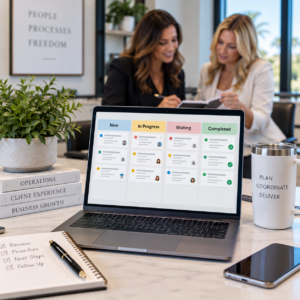
– Can we standardize statuses (New, Scheduled, Waiting on Vendor, Completed, Client Updated) so reporting is meaningful?

What to do if this is strong: Build a weekly operations review around it (a short, repeatable check-in), so you’re managing the business, not reacting to it.

Criterion 3: Client profiles that protect preferences and boundaries
A concierge business often wins on memory—until the owner is the only one who has it. Your software should reduce “re-explaining” by storing what matters.

Ask:
– Can we store client preferences, property notes, access instructions, and vendor lists in one place?
– Can we control who sees sensitive information (permissions/roles)?
– Can the team find what they need fast, without calling you?

What to do if this is missing: You’ll stay the translator. That’s owner-dependence disguised as “quality control.”

Criterion 4: Billing and documentation that match how you actually charge
Concierge companies often struggle with billing consistency because work is varied: time, retainers, packages, project coordination, vendor management, and add-ons.

Ask:
– Does the system support your billing model (or the model you’re moving toward)?
– Can you tie charges to documented work (notes, time, tasks, completed requests)?
– Can you reduce end-of-month reconstruction (searching texts, calendars, and inboxes)?

What to do if you’re unsure: Map one month of real work and test whether the system can produce an invoice you’d feel confident sending.

Criterion 5: Team accountability without micromanagement
The goal is not surveillance. It’s clarity: who owns what, by when, with what standard.

Ask:
– Can tasks be assigned with due dates and clear next actions?
– Can the system show who is responsible at each step?
– Can you create repeatable checklists for common services (property check, arrival prep, vendor visit protocol)?

What to do if this is strong: Pair it with role clarity. Software can’t fix a role that’s undefined.

Criterion 6: Implementation support and training (because tools don’t implement themselves)
Even good software fails when setup is rushed. Fields are inconsistent, workflows are unclear, and the team reverts to old habits.

Ask:
– What onboarding and training is available?
– Will someone help you configure workflows, not just “show features”?
– Is there a plan for adoption (team training, standards, and accountability)?

This is where Concierge Business Solutions typically sees the biggest difference between “we bought software” and “we changed operations.” CBS offers Implementation & Training support to help systems get set up correctly so they actually get used.

A note on Essential Elements™: Concierge Business Solutions offers Essential Elements™, described as a purpose-built software platform for lifestyle management companies to manage operations, clients, billing, and workflows. If you’re comparing options, use the criteria above to evaluate fit, then confirm current capabilities and onboarding details directly with CBS before deciding.

Step 3: Implementation plan that prevents “unused tool” syndrome
If you want the system to reduce workload (not add to it), implement in phases.

Phase 1 (Weeks 1–2): Standardize one workflow
– Pick one service line (example: vendor coordination).
– Define statuses and required fields.
– Train the team on “how we log it” and “how we update it.”

Phase 2 (Weeks 3–4): Centralize client profiles
– Decide what belongs in the client record (preferences, access, vendor list, billing notes).
– Migrate only active clients first.
– Set a rule: if it isn’t in the system, it isn’t “real.” (This is a leadership decision, not a software feature.)

Phase 3 (Month 2): Connect billing to delivery
– Require documentation that supports billing.
– Create a simple weekly billing prep routine so invoices don’t become a monthly fire drill.

Phase 4 (Ongoing): Build a weekly operations review
A short, recurring meeting (even if it’s just you and one lead) to review:
– Open requests by due date
– Stuck items and handoffs
– Capacity (who is overloaded)
– Client updates that must happen

Step 4: When to get training/consulting support vs. DIY
DIY can work if:
– You have one clear workflow to start with.
– You can enforce adoption (your team will follow the process you set).
– You have time to test, revise, and retrain.

Support is usually worth it if:
– You’re already overwhelmed and can’t afford a long trial-and-error cycle.
– You have contractors/staff and need consistent standards fast.
– Your billing is messy, and you need the system to support profitability.
– You’re trying to design owner freedom intentionally (time off, reduced interruptions, fewer emergencies).

Concierge Business Solutions exists specifically for concierge and lifestyle-management operators who want freedom through structure—education first, then systems, then growth. If you’re not sure what to tackle first, starting with clarity is often the fastest path to choosing the right tool.

Next step: start with clarity, then build structure
You don’t need every program or tool at once. You need the right next step.

If you want a structured way to identify where your business depends too heavily on you—and what to systemize first—begin with the 5 Days to Freedom Challenge from Concierge Business Solutions (https://conciergebusinesssolutions.com/the-5-day-freedom-challenge/). It’s designed to move you out of reaction mode and into practical operational change.

Because in a high-trust service business, freedom isn’t created by working faster. It’s created by building a company that can deliver consistently without requiring you to be everywhere at once.


Stop After-Hours Client Emergencies | Concierge Biz

How to Stop Client Requests From Turning Into After-Hours Emergencies

If your concierge or lifestyle-management company feels like it’s “on call” 24/7, the issue usually isn’t that your clients are unreasonable. The issue is that requests are entering your business without a clear intake path, a triage decision, and a defined response standard—so everything becomes an after-hours emergency by default. The fix is to create a simple, repeatable system that (1) captures every request in one place, (2) classifies urgency consistently, and (3) routes work to the right person with clear expectations.

This matters because high-trust service businesses live and die by the client experience. But “excellent service” does not have to mean “constant availability.” In fact, the right structure protects service quality by making sure urgent items are handled fast, routine items are handled reliably, and nothing depends on the owner’s memory.

1) The real problem: everything feels urgent because the business has no triage
In many lifestyle-management companies, the client’s message is the workflow. A text comes in. An email follows. A voicemail lands. Someone DMs an assistant. Then you (the owner) become the router: you decide what’s urgent, who should do it, what “done” looks like, and how to follow up.

That works—until it doesn’t.

Common signs you don’t have triage (even if you have “systems”):
– You feel a spike of stress every time your phone buzzes after 5 p.m.
– Your team asks you, “Is this urgent?” because they don’t have a standard.
– Clients use multiple channels because they’re not sure what to use.
– You’re afraid to set boundaries because you worry something truly urgent will be missed.

The buyer question underneath all of this is simple: “How do I keep clients supported without training them to treat everything as an emergency?”

The answer is not a motivational speech about boundaries. It’s operational: define urgency, standardize intake, and make the process visible to your team.

2) Solution Part 1: Define what counts as an emergency (and what doesn’t)
You can’t enforce boundaries you haven’t defined. Start by creating an “Urgency Standard” that your team can apply without you.

A practical way to do this is a three-level definition. Keep it short enough that it actually gets used.

Level 1: Emergency (immediate action)
This is where after-hours responsiveness is justified. In a lifestyle-management context, emergencies often involve safety, property damage risk, or time-sensitive access.

Examples (illustrative):
– Active water leak reported at a client’s home
– Alarm event requiring immediate verification
– A vendor is on-site and cannot proceed without authorization
– A lockout situation where access is required now

Level 2: Time-sensitive (same day / next business day)
Important, but not “drop everything at 9 p.m.”

Examples (illustrative):
– A delivery window that must be confirmed by end of day
– A schedule change for a vendor arriving tomorrow
– A travel-related coordination item needed before morning

Level 3: Routine (scheduled handling)
These are tasks that can be handled in normal operating hours with a clear turnaround time.

Examples (illustrative):
– Booking requests with flexible dates
– Vendor research, quotes, comparisons
– Non-urgent home projects and planning

What to do next:
– Write your definitions in plain language.
– Add 5–10 examples from your real world.
– Decide (and document) what “after-hours” means for your company.

Important: this is not about denying service. It’s about matching the response to the true risk and timeline.

3) Solution Part 2: Build a simple intake + triage workflow your team can run
Once urgency is defined, you need a single front door for requests. If requests can enter through five channels, you will keep living in reaction mode.

Your goal: one primary intake channel, one tracking location, one triage step.

A workable intake workflow for lifestyle-management companies:
A) Capture: Choose the primary channel
Pick the channel you want clients to use for new requests (for example, a dedicated email address, a client portal, or a structured form). You can still accept texts, but your internal rule should be: “If it’s not in the system, it’s not assigned.”

B) Convert: Move every request into one tracking place
This is where many businesses break. They “see” the request, but it stays in a text thread. Then it becomes invisible to the team.

Your tracking place can be a task system, a CRM, or an operations platform—what matters is that it’s consistent and shared.

C) Triage: Apply the urgency standard
The person on duty (not automatically the owner) tags the request as Emergency / Time-sensitive / Routine.

D) Route: Assign to a role, not a person
Instead of “I’ll send this to Sarah,” think “This goes to Client Care Coordinator” or “This goes to Vendor Manager.” Roles make hiring and coverage possible.

E) Confirm: Send a response that sets expectations
A short confirmation message reduces repeat follow-ups and prevents the client from escalating unnecessarily.

Example language (adapt to your voice):
– “Got it—thank you. We’re treating this as time-sensitive and will update you by 3 p.m.”
– “Received. This is in our routine queue; you’ll have an update by end of next business day.”
– “We’re on it now. If anything changes on-site, we’ll call you.”

What to do next:
– Decide who owns triage when you’re not available.
– Document the steps in a one-page SOP.
– Train the team on the definitions using real examples.

4) Solution Part 3: Set response-time standards that protect the client experience and your life
Clients don’t only want speed. They want certainty.

When response times are undefined, clients fill the gap with anxiety:
– “Did they see it?”
– “Should I text again?”
– “Maybe I should call the owner.”

Response-time standards solve this without sacrificing service.

A practical standard set (illustrative):
– Emergency: acknowledge immediately; provide next update within a defined window
– Time-sensitive: acknowledge within a set number of business hours; resolve or provide plan by end of day
– Routine: acknowledge within one business day; provide timeline and next step

Two key points that keep this from backfiring:
1) Standards must match capacity.
If you promise a response time your team can’t consistently meet, you’ll create more escalations.

2) Standards must be communicated.
This can be done in onboarding, in a client guide, and in your confirmation messages.

What to do next:
– Write your standards down.
– Make them visible to the team.
– Use them to decide staffing coverage (instead of relying on you to “just handle it”).

5) Solution Part 4: Reduce owner-dependence with documentation and a weekly operations rhythm
After-hours emergencies often persist because the owner is the only person who knows:
– the client’s preferences
– the vendor history
– what “good” looks like
– what’s already been tried

When that knowledge lives in your head, every request becomes “urgent” because nobody else can confidently act.

Two practical moves help quickly:
A) Document client preferences in a usable way
Not a long narrative. A structured record your team can reference.

Focus on:
– access instructions and boundaries
– preferred vendors (and who not to use)
– communication preferences
– approval thresholds (what can be authorized without waking the owner)

B) Run a weekly operations review that prevents Friday-night surprises
A short, consistent review helps you spot:
– open loops that will spill into the weekend
– vendor dependencies and schedule risks
– clients with high request volume who need a service boundary reset
– team capacity issues before they become emergencies

This is part of building a business that doesn’t rely on you for every decision—one of the core outcomes Concierge Business Solutions focuses on: freedom through structure.

What to do next:
– Choose 5–10 “must be documented” client fields.
– Create a checklist for onboarding and ongoing updates.
– Put a weekly review on the calendar and keep it owner-light: you’re guiding, not doing.

6) Your next step: get clarity on where the business depends on you
If you’re reading this and thinking, “We need all of that, but I don’t know where to start,” that’s normal. Most owners don’t need every tool at once—they need the right next step.

Concierge Business Solutions exists to help concierge and lifestyle-management business owners move from owner-dependent operations to structured, profitable, and more independent companies—without sacrificing the client experience.

A practical place to begin is identifying exactly where your business is relying on you (and what to fix first). That’s the purpose of the 5 Days to Freedom Challenge: a guided, structured experience designed to help you step out of reaction mode and start seeing the bottlenecks and operational gaps that keep you “on call.” (Source: https://conciergebusinesssolutions.com/the-5-day-freedom-challenge/)

When you have clarity, you can build the structure: standards, systems, delegation, and leadership rhythms that create real freedom—earned, not wished for. Begin with the 5 Days to Freedom Challenge and take the first practical steps toward a more structured, profitable, and owner-independent concierge business: https://conciergebusinesssolutions.com/the-5-day-freedom-challenge/

Stop SOPs From Dying After You Write Them | CBS®

How to Stop SOPs From Dying After You Write Them

If you run a lifestyle management company, you already know the pattern: you finally carve out time to document how things are done, you feel a wave of relief… and then a few weeks later, your team is back to asking you the same questions.

The SOPs (standard operating procedures) technically exist, but they’re not being used—or worse, they’re being used incorrectly because they’re out of date. That’s when documentation starts to feel like a waste of time.

The problem usually isn’t that your team “doesn’t care” or that you “need better people.” The problem is that most companies treat SOPs like a one-time project instead of a living operating system.

Below is a practical, repeatable way to keep SOPs updated so they stay relevant, searchable, and actually followed—without you becoming the permanent editor-in-chief of your business.

1) The real problem: SOPs get written, then quietly ignored
Most SOP efforts fail for one of two reasons:

A) The SOP is written to prove something exists (for onboarding, for compliance, for peace of mind), not to support real work.

B) The SOP is written once, but the business keeps changing.

Lifestyle management companies change constantly: client preferences evolve, vendors change, pricing changes, new services get added, and team roles shift. If your SOPs don’t have a built-in way to evolve with those changes, they become historical documents.

When SOPs become “old news,” your team stops trusting them. And when your team stops trusting them, they stop using them. That’s when everything goes back into your head.

2) Why SOPs die: 5 predictable failure points
If you want to keep SOPs updated, it helps to name what’s actually killing them. Here are the most common failure points we see in service businesses—especially concierge and lifestyle management companies.

Failure point #1: No one owns the SOP
If an SOP belongs to “the company,” it belongs to no one. When a process breaks, nobody feels responsible for updating the documentation. The owner (you) becomes the default.

Failure point #2: The SOP isn’t connected to a workflow
An SOP sitting in a folder is easy to ignore. An SOP attached to a task or workflow step is much harder to bypass. If your team can complete work without ever seeing the SOP, usage will always be inconsistent.

Failure point #3: The SOP is too long to use in real time
If the SOP reads like a manual, people won’t open it when a client is waiting. Teams need quick clarity: what to do, in what order, with what standards, and what “done” looks like.

Failure point #4: Updates require too much effort
If updating an SOP means rewriting a document, formatting it, saving it, notifying everyone, and hoping they read it—updates won’t happen. You need a lightweight update path.

Failure point #5: There’s no review rhythm
Even good SOPs drift. Vendors change. Tools change. Policies change. If there’s no scheduled review, the SOP will eventually become inaccurate, and then it becomes dangerous to follow.

3) The fix: a simple SOP lifecycle (owner, trigger, review, retire)
To keep SOPs updated, you need a lifecycle. Not a complicated one—just a clear set of rules your team can follow.

Here’s a practical SOP lifecycle that works well in lifestyle management operations.

Step 1: Assign an SOP Owner (one person, one name)
Every SOP needs a single accountable owner. Not necessarily the person who does the task most often, but the person responsible for keeping the SOP accurate.

Examples:
– Client onboarding SOP owner: Client Success Lead
– Vendor onboarding SOP owner: Operations Coordinator
– Billing and invoicing SOP owner: Finance/Admin Lead

If you’re small and wearing multiple hats, you can still assign ownership—just assign it intentionally. The goal is to transfer ownership over time as your team grows.

Step 2: Define the Update Triggers (when an SOP must be reviewed)
Instead of hoping someone remembers to update documentation, define triggers that automatically require a review.

Common triggers in lifestyle management companies:
– A client complaint or service miss tied to a process
– A new vendor or vendor policy change
– A pricing/package change
– A software/tool change (even a small one)
– A new team member takes over the task
– A recurring “clarification question” shows up more than twice

When a trigger happens, the SOP owner doesn’t need to rewrite everything. They just need to confirm what changed and update the relevant step.

Step 3: Add a Review Rhythm (scheduled, not emotional)
Even with triggers, you still need a baseline review schedule.

A simple approach:
– High-change SOPs (client requests, vendor coordination, scheduling): review every 30–60 days
– Medium-change SOPs (onboarding, billing, reporting): review quarterly
– Low-change SOPs (brand standards, security policies): review every 6–12 months

This prevents the “we only fix it when it breaks” cycle.

Step 4: Create a Retire Rule (so your library doesn’t become a junk drawer)
Old SOPs create confusion. If you keep everything forever, your team won’t know what’s current.

Use a simple retire rule:
– If the process is no longer offered, archive it.
– If the process has been replaced, link to the new SOP and archive the old one.
– If the SOP hasn’t been used in 6–12 months, review whether it should be merged, simplified, or retired.

Retiring is part of keeping SOPs updated. A smaller, trusted library beats a massive, ignored one.

4) How to make SOPs usable: where they live, how they’re found, and how updates happen
An SOP lifecycle only works if your team can actually find and use the SOP in the moment.

Here are the operational standards that keep SOPs alive.

A) Put SOPs where work happens
If your team lives in a task system, your SOPs should be linked inside tasks and workflows. If your team works from a client record, SOPs should be accessible from the client workflow.

The goal: the SOP should appear at the exact moment someone needs it.

B) Use a “One-Page SOP” structure for speed
You can still have detailed references, but the primary SOP should be fast.

A strong one-page SOP includes:
– Purpose (what this process is for)
– When to use it (the trigger)
– Steps (numbered, in order)
– Standards (what “good” looks like)
– Exceptions (what to do when it’s not normal)
– Links (templates, scripts, forms, checklists)
– Owner + last updated date

When SOPs are short and scannable, usage goes up—and updates become easier.

C) Add a frictionless “Suggest an Update” path
Your best SOP improvements will come from the people doing the work.

Create a simple rule:
– If someone finds an SOP that’s unclear or wrong, they don’t fix it themselves in five different ways.
– They submit a quick update note to the SOP owner.

This can be as simple as a form, a tagged comment, or a dedicated request type. The key is that the feedback is captured and routed—so the SOP improves instead of the team improvising.

D) Build SOP updates into your weekly operations review
If you want owner-off operations, you need a weekly rhythm that keeps the business from drifting.

In your weekly ops review, include a standing agenda item:
– “SOP updates needed this week”

Then review:
– What triggered the update?
– What changed?
– Who owns it?
– When will it be updated?
– Does the workflow need to be adjusted so the SOP is used?

This turns SOP maintenance into a normal operational habit, not a heroic project.

E) Tie SOPs to training (so onboarding doesn’t depend on tribal knowledge)
When SOPs are current, onboarding becomes easier. When onboarding is easier, you stop being the bottleneck.

A practical approach:
– New team member completes the SOP + checklist
– They perform the process once with oversight
– They document any confusion as “update suggestions”
– SOP owner updates the SOP

This creates a feedback loop where onboarding improves the documentation instead of exposing how fragile it is.

5) Your next step: implement this without overwhelm
If you’re reading this and thinking, “This makes sense, but I don’t have time to build all of this,” you’re not alone.

Most business owners don’t need more information. They need the right next step and a structure that makes follow-through realistic.

At Concierge Business Solutions®, everything we offer fits into three categories—Education, Systems & Software, and Growth & Connection—because keeping SOPs updated is not just a documentation issue. It’s an operational design issue.

If you’re early in the process and you want clarity on where your business depends on you too heavily, start with the 5 Day to Freedom Challenge. It’s designed to help you identify bottlenecks and operational gaps so you know exactly what to fix first.

If you want a structured framework you can follow as you build operational independence, the 12 Steps to Freedom book reinforces the principles and gives you a roadmap.

If you’re ready to redesign your business with deeper implementation, Freedom by Design® (self-study) walks you through building long-term structure—so SOPs, workflows, and roles work together.

And if you’re at the point where you need your systems and software to support the way your company runs, implementing a purpose-built platform and proper training can be the difference between “we have SOPs” and “we operate consistently.”

The bottom line: SOPs don’t die because you didn’t try hard enough. They die because they weren’t given ownership, triggers, and a review rhythm. Put those in place, and your documentation becomes a living asset that reduces questions, improves client experience, and helps your company run without constant effort from you.

Want a clear next step to reduce owner-dependence and keep your operations consistent? Start with the 5 Day to Freedom Challenge at https://conciergebusinesssolutions.com/the-5-day-freedom-challenge/ and identify exactly where your SOPs and workflows are breaking down.

stop tool hopping

How to Stop “Tool Hopping” and Choose One System That Actually Sticks

If you run a lifestyle management company, you’ve probably lived this cycle: you pick a new tool because it promises clarity, speed, and fewer dropped balls. For a week or two, it feels like relief. Then reality hits—your team still texts you questions, client requests still live in inboxes and DMs, and you’re back to being the human router for every decision.

That cycle has a name: tool hopping. And the cost isn’t just the subscription fees. The real cost is operational whiplash—your team stops trusting “the system” because the system keeps changing.

This article is a practical problem/solution guide to stop tool hopping and choose one system that actually sticks—without needing a full-time operations manager or months of downtime.

The goal isn’t to find the perfect software. The goal is to build a business that runs more smoothly, requires less of you, and supports the life you actually want.

The real problem behind tool hopping (it’s not the tools)

Tool hopping usually looks like a software problem, but it’s almost always a structure problem.

Here’s what’s typically happening behind the scenes:

• You’re trying to use software to create clarity you haven’t defined yet. If the team doesn’t know what “done” looks like, no tool can fix it.
• Your processes live in your head. When the owner is the only source of truth, every tool becomes “another place to check,” not a system.
• You’re mixing categories of work. Client requests, vendor coordination, billing, team tasks, and internal projects all get shoved into one place—then it breaks under real-world complexity.
• Implementation is treated like installation. Buying software is not the same as setting operating rules, training, and accountability.

So the problem isn’t that you picked the “wrong” tool. The problem is that you’re asking tools to do the job of operations design.

The fix is to choose your system based on outcomes and workflows, then implement it with rules and rhythm.

Step 1: Define the outcomes your system must produce

Before you evaluate any platform (or decide whether to keep what you have), define the outcomes your system must reliably produce every week.

For lifestyle management companies, the outcomes usually fall into a few non-negotiables:

A) Client request capture that doesn’t depend on the owner
Ask: If a VIP client texts you at 9:30 pm, what happens next—without you?

Your system must:
• Capture the request
• Assign ownership
• Track status
• Store context (preferences, constraints, history)
• Close the loop with the client

B) Visibility without constant meetings
Ask: Can you see, in under 5 minutes, what’s at risk this week?

Your system must:
• Show open requests and deadlines
• Highlight stuck items
• Make handoffs obvious
• Reduce “Where are we on this?” messages

C) Consistent billing and documentation
Ask: Can someone else invoice correctly without asking you what happened?

Your system must:
• Tie work to clients
• Track billable time/fees (as your model requires)
• Maintain notes and proof of completion
• Reduce end-of-month scramble

D) Repeatability for onboarding and training
Ask: If you hired tomorrow, could the new person learn your workflow without shadowing you for weeks?

Your system must:
• Standardize steps
• Provide templates/checklists
• Make quality measurable

Write these outcomes down. If you can’t articulate them, you’ll keep shopping based on features, not function.

Step 2: Map the work before you pick software

Most teams try to “set up the tool” first. That’s backward.

Instead, map your work in plain language. You’re not creating a 40-page SOP library here. You’re creating a simple operational map so your software supports reality.

Start with three lists:

List 1: Your request types
For example:
• Reservations and experiences
• Home and property coordination
• Travel planning
• Vendor sourcing and scheduling
• Personal shopping and gifting
• Admin tasks (renewals, reminders, document handling)

List 2: Your workflow stages
Pick stages that match how work actually moves. A common set:
• New / Intake
• Clarifying / Waiting on client
• Assigned / In progress
• Waiting on vendor
• Ready for approval
• Completed / Closed

List 3: Your “handoff moments”
Handoffs are where things break. Identify the moments where work changes hands:
• Owner to team member
• Team member to vendor
• Vendor back to team
• Team back to client

Now ask one critical question: where does the truth live?

If the truth lives in text messages, your system will always fail. If the truth lives in five different tools, your team will always guess.

This is where many lifestyle management companies benefit from a purpose-built operations platform rather than a patchwork of generic tools. The more your work involves client-specific context, billing, and repeatable workflows, the more costly it becomes to duct-tape systems together.

Step 3: Choose one “source of truth” and set operating rules

To stop tool hopping, you need one system that becomes the source of truth for operations.

That doesn’t mean you only use one app for everything. It means one place is authoritative for:
• What’s been requested
• Who owns it
• What’s next
• What “done” means
• What was delivered

For many lifestyle management companies, that “source of truth” is an operations platform designed to manage clients, workflows, and billing in one place—because those pieces are inseparable in real life.

Concierge Business Solutions® built Essential Elements™ specifically for lifestyle management companies to centralize operations, automate processes, reduce administrative workload, and increase visibility. The key idea is not “new software.” It’s operational independence.

But software alone won’t stick without operating rules. Here are the rules that stop tool hopping:

Rule 1: If it isn’t in the system, it doesn’t exist
This is the hardest rule—and the one that changes everything.

If a request comes in by text, email, or DM, it must be captured into the system immediately (or within a defined window, like 30 minutes during business hours).

Rule 2: One owner per request
A request can have collaborators, but it must have one accountable owner. Otherwise, you get silent diffusion where everyone assumes someone else has it.

Rule 3: Standard intake questions
Create a short intake template for common request types. Example for reservations:
• Date/time flexibility
• Budget range
• Dietary preferences
• Seating preference
• Who is attending
• Deadline for confirmation

Rule 4: Close the loop in writing
Completion isn’t “I did it.” Completion is “the client received confirmation, and the details are stored.”

These rules are what make a system stick. Without them, you’ll blame the tool and start shopping again.

Step 4: Implement in phases with training and a weekly review

Most implementations fail because they try to migrate everything at once.

Instead, implement in phases and create a weekly rhythm that keeps the system alive.

Phase 1 (Week 1–2): New requests only
Don’t move your entire history. Start by capturing all new requests in the system. This creates immediate behavioral change without overwhelming the team.

Phase 2 (Week 3–4): Active clients and recurring workflows
Add only what you need to run the next 30 days:
• Active client profiles
• Current open requests
• Recurring tasks (monthly check-ins, vendor renewals, seasonal home needs)

Phase 3 (Month 2): Billing and reporting
Once request flow is stable, tighten billing and visibility:
• Standardize how you track billable work
• Build simple dashboards or views for “what’s at risk”
• Reduce end-of-month surprises

Training that works (and doesn’t get ignored)
Training should be role-based and scenario-based. Don’t teach features. Teach workflows:
• “A client texts a last-minute dinner request—what do you do?”
• “A vendor doesn’t confirm—how do you escalate?”
• “A request is urgent—how do we flag it?”

This is why implementation and training support matters. A tool can be powerful and still become shelfware if setup and adoption aren’t handled correctly.

The weekly review that prevents backsliding
To keep the system from decaying, run a weekly operations review that is short, consistent, and not owner-dependent.

Agenda (30 minutes):
• What’s overdue?
• What’s blocked and why?
• What’s high-risk this week (deadlines, VIPs, travel)?
• What needs a decision (and who decides)?
• What gets closed today?

When this meeting runs from the system—rather than from someone’s memory—you stop being the bottleneck.

What to do next inside the CBS ecosystem (right next step)

Most people don’t need everything at once. They need the right next step.

If you’re currently overwhelmed and bouncing between tools, start with clarity before you rebuild.

Option A: If you’re not sure where your business depends on you
Start with the 5 Day to Freedom Challenge. It’s a guided, structured experience designed to help you step out of reaction mode and identify bottlenecks, operational gaps, and the best starting point for change.

Option B: If you want a framework you can follow without guessing
Reinforce with the 12 Steps to Freedom book. It lays out foundational principles for building operational independence and gives you a roadmap for growth.

Option C: If you’re ready to redesign the business, not just patch it
Go deeper with Freedom by Design® (self-study). With 40+ videos, it walks you step-by-step through redesigning your business from the ground up so it supports your life—not consumes it.

Option D: If you need a system built for lifestyle management operations
Look at Essential Elements™ and pair it with implementation and training so it actually gets adopted and used.

Option E: If you’re ready to grow through connection and credibility
ConciergeWorks™ provides a national network of vetted lifestyle management companies for collaboration and referral opportunities, and coaching/consulting can help you prioritize and execute without overwhelm.

The bottom line: stopping tool hopping isn’t about willpower. It’s about choosing outcomes, mapping work, setting operating rules, and implementing with a rhythm. That’s how you build a business that runs smoothly, requires less of you, and gives you back your time.

If you’re ready to stop tool hopping and build a business that doesn’t rely on you, start with the 5 Day to Freedom Challenge at https://conciergebusinesssolutions.com/the-5-day-freedom-challenge/ and identify your right next step.

Lifestyle management team collaborating in a modern office while the owner’s office sits empty, representing organized, owner-independent business operations.

Build an “Owner-Off” Weekly Operations Review That Keeps Your Company Running

If you run a lifestyle management company, you already know the uncomfortable truth: the work isn’t the hard part. The hard part is keeping the work moving when you’re not the one pushing it.

The most common failure point isn’t a lack of effort, talent, or even clients. It’s the absence of a repeatable cadence that turns day-to-day activity into predictable delivery—without requiring the owner to be the traffic controller.

That’s why a weekly operations review for a lifestyle management company is one of the highest-leverage systems you can build. Done well, it becomes the place where priorities get clarified, client requests get tracked, blockers get removed, and the team leaves with a short list of decisions and next actions—whether you attend or not.

Below is a practical, owner-off approach: a specific problem, a specific fix, and a structure you can implement without turning your business into a corporate machine.

The real problem: the business only “moves” when the owner checks in

In many concierge and lifestyle management businesses, the owner is the hub for:
– Deciding what matters most this week
– Remembering client preferences and open loops
– Approving exceptions and pricing
– Catching dropped balls before the client notices
– Translating “a bunch of messages” into an actual plan

When you’re present, things feel under control. When you step away, the team may still be busy—but outcomes slow down. Requests sit in inboxes, Slack threads, texts, and DMs. Follow-ups get delayed because no one is sure who owns them. Small issues become urgent because they weren’t surfaced early.

A weekly ops review solves this by creating a single, recurring moment where the team:
– Looks at the same scoreboard
– Reviews the same pipeline of work
– Names the same bottlenecks
– Assigns the same kind of next steps

The goal is not “more meetings.” The goal is fewer surprises.

What a weekly operations review must include (and what it must exclude)

Before you build the agenda, get clear on what this meeting is and isn’t.

What it must include
A) A shared view of work in progress
If your team can’t see all active requests and projects in one place, you don’t have operations—you have conversations. The weekly review needs a single source of truth for:
– Active client requests
– Due dates and promised timelines
– Who owns what
– What’s waiting on a vendor/client/internal approval

B) A short list of operational metrics (not vanity metrics)
You don’t need a dashboard with 40 charts. You need a handful of signals that tell you whether delivery is healthy. Examples:
– Number of open client requests (by status)
– Requests at risk (past due or waiting too long)
– New requests received this week
– Billing items pending (if applicable)
– Capacity notes (who is overloaded, who has room)

C) A decision and escalation lane
Lifestyle management work is full of exceptions. The weekly review needs a defined way to handle:
– Pricing exceptions
– Client boundary issues
– Vendor failures
– Requests that don’t fit your service model

If there’s no escalation lane, the team either stalls or pings the owner constantly.

D) A follow-up mechanism
If the meeting ends and the action items live only in someone’s notes, you’ll recreate the same chaos next week. Every decision and next step must be captured in the same system where the work lives.

What it must exclude
A) Deep work and long brainstorming
This is not the place to redesign your onboarding or debate brand positioning for an hour. Capture those topics and schedule a separate working session.

B) Status theater
If the meeting is just people reading updates out loud, it will become a chore, and the team will stop taking it seriously. The review should be driven by the workflow view, not by speeches.

C) Owner-only knowledge
If the meeting requires you to interpret what’s going on, it’s not owner-off. The system and the agenda must make the work legible to the team.

A simple owner-off agenda your team can run in 30–45 minutes

Here’s a structure that works well for concierge and lifestyle management operations. It’s intentionally tight.

Section 1 (5 minutes): Wins + service risks
– One quick win from the week (keeps morale real, not fluffy)
– Any immediate service risk (a VIP client issue, a time-sensitive miss, a vendor problem)

Rule: if it needs more than 2 minutes, it becomes an escalation item for later.

Section 2 (10–15 minutes): Workflow review (the “single source of truth”)
Pull up your centralized workflow (this is where a platform like Essential Elements™ is designed to help, because it’s built for lifestyle management operations—clients, billing, workflows, and visibility in one place).

weekly operations review for lifestyle management companyReview by status, not by person:
– New/untriaged requests: assign owner + due date
– In progress: confirm next step is defined
– Waiting: confirm what it’s waiting on and by when
– Completed: confirm closure notes are captured (so knowledge doesn’t live in someone’s head)

The key question for each item: “What is the next visible action, and who owns it?”

Section 3 (10 minutes): Bottlenecks + capacity
This is where you prevent next week’s fires.
– Where are requests stacking up?
– Which client is generating the most open loops?
– Which team member is overloaded?
– What can be templated, delegated, or automated?

If you notice the same bottleneck two weeks in a row, it’s not a people problem—it’s a system gap.

Section 4 (5–10 minutes): Decisions + escalations
This is the “owner-off” part. You need a defined decision framework so the team can move without waiting for you.

Examples of escalation categories:
– Pricing/fees outside standard policy
– Client requests that violate boundaries or scope
– Vendor issues requiring replacement
– Anything that could impact client trust if mishandled

If you’re not in the meeting, the team should still be able to:
– Decide using documented policies
– Assign a next step
– Set a deadline
– Flag only the truly owner-required items for a separate, limited check-in

Section 5 (2 minutes): Commitments + recap
End with:
– Top 3 priorities for the next 7 days
– Who owns each
– When the next check-in is

That’s it. Short, consistent, and operational.

How to capture requests, bottlenecks, and follow-ups so nothing disappears

A weekly review only works if the week itself is trackable. Most lifestyle management companies struggle here because requests arrive everywhere:
– Text messages
– Email
– Instagram DMs
– Phone calls
– Slack
– In-person asks

Your goal is not to stop clients from communicating. Your goal is to stop your team from managing work inside communication channels.

Use this three-part rule:
A) One intake path (even if requests arrive everywhere)
No matter where a request comes in, it gets logged into the same workflow system. The communication channel is not the task manager.

B) Standard statuses everyone uses
Keep it simple and consistent. For example:
– New
– Assigned
– In progress
– Waiting
– Completed

If statuses are inconsistent, your weekly review becomes guesswork.

C) Definition of “done” for closure
A request isn’t “done” when the vendor is booked. It’s done when:
– The client has confirmation
– Details are documented (who/what/when/cost)
– Billing is captured (if applicable)
– Any follow-up is scheduled

This is how you prevent the owner from being the only person who remembers what happened.

How Concierge Business Solutions® helps you implement this (education, systems, growth)

A weekly operations review sounds straightforward, but most owners hit the same wall: they try to install the meeting before the underlying structure exists. Concierge Business Solutions® is built around the reality that you need the right next step, not more noise.

Education: get clarity before you build
If you’re not sure where your business depends too heavily on you, start with the 5 Day to Freedom Challenge. It’s designed to help you identify bottlenecks, operational gaps, and the first changes that create breathing room.

If you want a framework you can return to as you implement, 12 Steps to Freedom (book) reinforces the principles of operational independence—so you’re not just copying someone else’s process.

Systems & Software: turn clarity into structure
Once you know what needs to happen weekly, you need a place for the work to live. Essential Elements™ is a purpose-built platform for lifestyle management companies to manage operations, clients, billing, and workflows in a centralized way.

Implementation & training matter here. A tool that isn’t set up correctly becomes another abandoned system. Proper setup ensures your weekly ops review is driven by real data and real workflow visibility.

Growth & Connection: scale without constant effort
When your operations are stable, growth stops feeling like a threat. ConciergeWorks™ creates connection and referral opportunities through a vetted network of lifestyle management companies.

And if you want direct guidance to make decisions faster and reduce overwhelm, coaching & consulting helps you prioritize the right operational moves—so your weekly review doesn’t become “one more thing,” but the backbone of a business that can run without you.

A final note on “owner-off”
Owner-off doesn’t mean you never lead. It means the business doesn’t stall when you’re not available.

If you implement the agenda above and commit to one source of truth for requests, you’ll notice three changes quickly:
– Fewer urgent pings, because priorities are visible
– Fewer dropped balls, because follow-ups are assigned and tracked
– More confidence stepping away, because operations don’t live in your head

That’s the point: a business that supports your life—not consumes it.

If you want your lifestyle management company to keep moving when you step away, start with the 5 Day to Freedom Challenge to identify the bottlenecks and operational gaps holding you hostage. Then build the structure with Freedom by Design® and implement a centralized workflow with Essential Elements™ so your weekly operations review runs owner-off.

how to take a week off from a lifestyle management company

How to Stop Your Lifestyle Management Company From Breaking When You Take a Week Off

Late summer and early fall are when a lot of lifestyle management company owners try to do something that sounds simple on paper: take a week off.

It’s also the time of year when the cracks show.

Clients are back from travel. Kids are back in school. Calendars fill up fast. And if your business still relies on you to translate requests, assign work, approve decisions, and remember “how we do things,” a week away doesn’t feel like a break—it feels like a risk.

The goal isn’t to disappear and hope for the best. The goal is operational independence: a business that can deliver a consistent client experience without you being the router for every request.

Below are five practical, timely tips you can implement before your next planned time off. They’re designed specifically for lifestyle management companies—where requests are varied, urgent, and relationship-driven—and they align with how Concierge Business Solutions® helps owners build freedom through education, systems, and growth support.

Why “time off” breaks most lifestyle management companies (and why it spikes right now)

Most owners assume the problem is staffing: “If I just had one more person, I could step away.”

Sometimes staffing is part of it, but the more common issue is dependency. Your team may be capable, but the business is structured in a way that forces everything through you:

• Requests arrive in too many places (text, email, DMs, Slack), so you’re the only one who sees the full picture.
• Work isn’t defined as a repeatable process, so every request becomes a custom project.
• Decisions aren’t categorized, so your team escalates everything “just in case.”
• Client expectations live in your head, so quality control becomes your job.

Late summer/early fall makes this worse because volume increases and response-time expectations tighten. If you want a week off that doesn’t create a backlog (or a client confidence problem), you need a short runway plan.

Tip 1: Run a 5-day dependency audit before you book the trip

If you only do one thing, do this: identify exactly where the business depends on you.

This is the point of the 5 Day to Freedom Challenge from Concierge Business Solutions®—to get you out of reaction mode long enough to see the bottlenecks clearly.

Here’s a simplified “dependency audit” you can run in five days:

Day 1: Track every time someone needs you.
Write down each interruption for one full day:
• “Can you approve this?”
• “What do we tell the client?”
• “Where is that info?”
• “Who should handle this?”

Day 2: Label the reason.
For each interruption, pick the real cause:
• Missing process
• Missing system/location of truth
• Unclear decision rights
• Unclear client preference/standard
• Training gap

Day 3: Pick the top two repeat offenders.
Don’t try to fix everything. Choose the two dependency patterns that happen most often or create the most risk when you’re gone.

Day 4: Define “done” for those two.
Example:
• “All client requests enter through one intake method.”
• “Team can approve purchases up to $X without escalation.”

Day 5: Decide your next step.
This is where most owners stall. Clarity is great, but you need a path to implementation. For many owners, the next step is reinforcing the framework with the 12 Steps to Freedom book, then moving into deeper build-out with Freedom by Design®.

The win here isn’t perfection. The win is knowing exactly what would break during your week off—and addressing the highest-impact points first.

Tip 2: Convert recurring requests into a simple, repeatable intake + workflow

Lifestyle management work feels “different every time,” but patterns exist. The fastest way to reduce dependence on you is to standardize the front end.

Start with your top three recurring request types. Common examples in this industry:
• Dining reservations and event planning
• Travel-related coordination
• Home/vendor scheduling
• Gift sourcing and delivery
• Calendar management and reminders

For each request type, create two things:

A) A minimum intake checklist
This is the information your team needs to start without coming back to you.
Example (Dining reservation):
• Date/time window
• Party size
• Location preference
• Budget range
• Dietary restrictions
• Seating preferences
• “If unavailable, what’s the fallback?”

B) A basic workflow
Keep it short and visible:
1. Confirm details
2. Attempt primary option
3. If unavailable, attempt fallback options
4. Confirm with client
5. Document outcome and any preferences learned

When you do this, you reduce “interpretation work,” which is what usually pulls the owner back in. Your team isn’t asking you because they can’t do the task—they’re asking because the task is undefined.

Tip 3: Create a “coverage map” so your team knows who decides what

A week off fails when everything becomes an escalation.

To prevent that, you need a coverage map: a simple decision framework that tells the team what they can decide, what they should inform someone about, and what truly requires escalation.

A practical way to build this is a three-tier decision model:

Tier 1: Team decides (no approval needed)
• Routine client requests with known preferences
• Standard vendor scheduling
• Pre-approved spending thresholds

Tier 2: Team decides, but documents and informs
• Anything that changes a timeline
• Vendor substitutions
• Non-routine client requests that still fit within a known preference set

Tier 3: Escalate (only if it meets specific criteria)
• Legal/contract issues
• High-dollar exceptions
• Safety/security concerns
• Anything that could materially impact the client relationship

The key is specificity. “Escalate if urgent” is too vague. Define what “urgent” means in your business.

If you have multiple team members, the coverage map should also include:
• Who is primary on each client
• Who is backup
• Who handles billing questions
• Who handles vendor issues

This is where coaching & consulting can be valuable—because many owners know they need boundaries, but they want help setting them in a way that protects the client experience.

Tip 4: Put the work where it belongs: in a system (not in your head, texts, or Slack)

If your business runs on memory and message threads, your week off will turn into “just checking in.”

A system isn’t about adding complexity—it’s about creating a single source of truth for:
• Client requests
• Status and ownership
• Workflows
• Billing and operational visibility

Concierge Business Solutions® built Essential Elements™ specifically for lifestyle management companies to manage operations, clients, billing, and workflows in one place.

What changes when you move from scattered communication to a centralized platform?

• Requests stop disappearing. If it’s in the system, it’s trackable.
• Ownership becomes visible. Everyone knows who has the ball.
• Work becomes repeatable. Workflows reduce “reinventing the wheel.”
• You get visibility without hovering. You can be off and still trust the process.

The part most owners miss: software alone doesn’t fix the problem.

If you’ve ever bought a tool and then abandoned it, you’re not alone. That’s why implementation & training matter. Proper setup turns software into an operating system your team actually uses—so it doesn’t become “another unused tool” that still leaves you as the bottleneck.

If your goal is a week off, your benchmark is simple:
Can someone open the system and answer:
• What’s pending?
• Who owns it?
• What’s next?
• What did we promise the client?

If the answer is “only if I’m there,” the system isn’t doing its job yet.

Tip 5: Use the right next step in the CBS ecosystem to lock in the change

Most people don’t need everything at once. They need the right next step.

Here’s a practical progression if your immediate goal is time off without chaos:

Step 1: Start with the 5 Day to Freedom Challenge
Use it to identify your dependency points and choose what to fix first.

Step 2: Reinforce the framework with the 12 Steps to Freedom book
This helps you think in terms of operational independence, not just “getting through the week.”

Step 3: Build structure with Freedom by Design®
If you’re ready to redesign how the business runs, the self-study program’s step-by-step approach helps you implement deeper changes that last.

Step 4: Implement systems with Essential Elements™ (plus training)
This is where clarity becomes structure—centralized operations, automated processes, reduced admin workload, and better visibility.

Step 5: Grow through ConciergeWorks™ and coaching
Once the business isn’t fragile, you can focus on credibility, partnerships, referrals, and strategic decisions—without feeling like growth automatically means more pressure on you.

A week off is a great test because it’s measurable. Either the business holds up, or it doesn’t. And if it doesn’t, that’s not a personal failure—it’s a signal that the business needs a stronger foundation.

The bottom line
Taking a week off isn’t about being less committed. It’s about building a business that supports the life you actually want.

If your lifestyle management company currently requires you to be the intake desk, the project manager, the quality control department, and the final approver, the solution isn’t “try harder.”

how to take a week off from a lifestyle management companyThe solution is to:
• Get clear on where you’re the bottleneck
• Standardize the work that repeats
• Define decision rights so the team can move
• Put operations into a system designed for your industry
• Get the right support to implement it correctly

That’s what Concierge Business Solutions® is built to do—through education, systems & software, and growth & connection.

If you want your next week off to feel like time off, start by choosing one dependency point to eliminate this week. Momentum comes from making the next right change, not from attempting a total overhaul overnight.

If your next week off is already on the calendar, start with the 5 Day to Freedom Challenge to pinpoint where your business depends on you—and what to fix first. From there, use the 12 Steps to Freedom book and Freedom by Design® to build the structure, and consider Essential Elements™ implementation & training to make the system stick.

Client Requests Into Trackable Workflows | CBS®

How to Turn Your Client Request Chaos Into a Trackable Workflow

If you run a lifestyle management company, you already know the pattern: a client texts a flight change, emails a dinner preference, DMs a screenshot of a confirmation number, and calls with “one more thing” while you’re driving. None of it is unreasonable—until it becomes untrackable.

The problem isn’t that you’re disorganized. The problem is that your business is operating on scattered inputs with no consistent conversion into a workflow. When requests stay in texts, emails, notes apps, or someone’s memory, you don’t have operations—you have improvisation.

Below is a practical, operations-first fix: a repeatable client request workflow you can implement without forcing clients to change who they are. It’s designed for lifestyle management companies that want fewer dropped balls, less owner-dependence, and a team that can execute consistently.

1) The real problem: requests scattered across channels (and living in your head)

Most request chaos comes from three hidden issues:

• No single “source of truth.” You might have a spreadsheet, an inbox, and a project tool—but none of them is the definitive place where every request lives.

• Requests aren’t being converted into work. A message is not a task. A screenshot is not a task. A voicemail is not a task. Until it becomes a trackable work item with an owner and a deadline, it’s just information.

• The owner becomes the router. When the business depends on you to remember, interpret, and delegate every request, you become the bottleneck—even if you have help.

If you’ve ever said, “I know it’s in my phone somewhere,” you’re not alone. But that sentence is also a signal: the business is relying on personal memory instead of operational structure.

2) Step 1: Create one intake “front door” without fighting client behavior

A common mistake is trying to force clients into one channel (“Only email us” or “Only use this form”). In concierge and lifestyle management, that often backfires because high-touch clients communicate the way they prefer.

Instead, keep client flexibility—but create an internal front door.

Your goal: regardless of where the request arrives, it gets captured into one place within a defined time window.

Implementation options (choose one primary):

• Shared intake inbox (best for small teams). Example: requests@yourcompany.com that multiple team members can monitor.

• Centralized operations platform (best for scaling). A system where requests, client profiles, billing, and workflows live together.

• Dedicated “request capture” queue inside your project/work management tool (only if it’s truly used consistently).

Non-negotiable rule:

Every request must be captured into the front door within 30–60 minutes during business hours (or by the next business morning if after hours). If you don’t set a standard, you’ll default back to “whenever someone remembers.”

How to handle texts/DMs without chaos:

• Don’t argue with the channel.
• Do translate the request.

Translation means: copy the request into your intake system and link the original message if needed. The message stays where it is, but the work lives in your workflow.

3) Step 2: Convert every request into a trackable work item (with required fields)

This is where most teams think they’re doing “systems,” but they’re really just making lists.

A trackable work item needs consistent fields so anyone on your team can pick it up and execute without a back-and-forth interrogation.

Minimum required fields for a lifestyle management request:

• Client name (and household, if applicable)
• Request type (travel, dining, home services, gifting, event, errands, etc.)
• What “done” means (clear outcome)
• Deadline (client deadline, not your internal hope)
• Priority (urgent, standard, flexible)
• Communication preference (text/email/call)
• Budget guidance (if relevant)
• Notes/attachments (screenshots, confirmations, addresses)

Example conversion (from vague to executable):

Vague text: “Can you get us dinner Friday? Somewhere nice.”

trackable workflowConverted work item:

• Type: Dining
• Outcome: Reserve table for 4
• Date/time: Friday 7:30 pm
• Preferences: steak/seafood, quiet, not outdoors
• Location: within 15 minutes of their home
• Budget: open
• Deadline: confirm by Wednesday 3 pm
• Communication: text

When you do this consistently, you stop “rebuilding the process” every time you hire. New team members aren’t guessing how you think—they’re following a defined structure.

4) Step 3: Assign ownership, due dates, and status rules so nothing stalls

A request without an owner is a wish.

To prevent stalls, you need three things: ownership, deadlines, and status definitions.

Ownership

Assign one accountable owner per request. Not “the team.” Not “ops.” One person.

If multiple people will touch it, that’s fine—but only one person owns the outcome and client communication.

Deadlines

Use two deadlines:

• Client deadline: when the client needs the result.
• Internal deadline: when you must complete the work to leave buffer.

Buffer matters in concierge work because vendors cancel, inventory changes, and preferences evolve. A buffer turns “urgent” into “managed.”

Status rules (simple and strict)

Pick 5–7 statuses and define them. For example:

• New (captured, not yet reviewed)
• Clarify (waiting on client info)
• In Progress (actively being handled)
• Waiting on Vendor (submitted, pending response)
• Ready for Client (solution prepared, needs approval)
• Completed (done and confirmed)
• Closed (billed/archived, no further action)

Then add one rule that changes everything:

If a request is in “Waiting on Vendor” or “Clarify” for more than 24–48 hours, it must trigger a follow-up.

This is how you stop silent failures—where everyone assumes someone else is waiting on something.

5) Step 4: Build a simple follow-up cadence and client updates

High-touch clients don’t just want results. They want confidence.

Confidence comes from predictable communication.

A simple cadence you can standardize:

• Acknowledge quickly: “Got it—working on this now. I’ll update you by 3 pm.”
• Update at the promised time (even if the update is “still waiting on vendor”).
• Confirm completion with details and next steps.

This reduces inbound “any update?” messages, which are often the real time drain.

Internal follow-up cadence (team side)

Set two daily check-in points:

• Midday sweep: review anything urgent, anything waiting too long, anything missing an owner.
• End-of-day sweep: confirm tomorrow’s deadlines and ensure client updates are scheduled.

This can be 10–15 minutes if your workflow is centralized and statuses are accurate.

6) The next step: education + systems + growth that reduces dependence on you

If you implement the steps above, you’ll feel immediate relief. But the bigger win is what it unlocks: operational independence.

At Concierge Business Solutions®, everything we offer fits into a progression that supports that goal:

Education (clarity and framework)

If you’re not sure where your business depends too heavily on you, start with the 5 Day to Freedom Challenge. It’s designed to help you identify bottlenecks, operational gaps, and your best starting point—without adding more complexity.

Then reinforce the framework with the 12 Steps to Freedom book, which lays out the foundational principles behind building a business that doesn’t rely on you.

Systems & Software (turn clarity into structure)

Once you know what needs to happen, the next step is making it real inside your operations. That’s where a purpose-built platform and proper implementation matter.

A centralized system can help you manage client profiles, requests, billing, and workflows in one place—so your “front door,” work items, and statuses aren’t spread across tools that don’t talk to each other.

Growth & Connection (scale without constant effort)

When your request workflow is stable, you can grow without the business snapping back into chaos. That’s when coaching, consulting, and connection opportunities (like a vetted network of lifestyle management companies) become leverage instead of overwhelm.

A quick self-check: is your current request workflow working?

If you answer “yes” to all of these, you’re in good shape:

• Every request ends up in one system within a defined time window.
• Every request becomes a work item with required fields.
• Every request has one accountable owner.
• Every request has a client deadline and an internal deadline.
• Statuses are consistent and trigger follow-ups.
• Clients receive predictable updates.

If even one of those is “no,” you don’t need more hustle. You need a tighter workflow.

Because the goal isn’t to do more. It’s to build a business that runs more smoothly, requires less of you, and supports the life you actually want.

If you’re ready to stop running your lifestyle management company from your inbox and your head, start with the 5 Day to Freedom Challenge at https://conciergebusinesssolutions.com/the-5-day-freedom-challenge/ and identify the next step that will create real operational independence.

Stop Rebuilding Processes Every Hire

How to Stop Rebuilding Your Processes Every Time You Hire

If you run a lifestyle management company, hiring should feel like relief.

More capacity. Faster response times. Less pressure on you.

But for a lot of owners, the opposite happens: every new hire triggers a full rebuild of “how we do things.” You rewrite instructions, re-explain client preferences, re-create checklists, and patch holes you didn’t even know existed. The hire isn’t the problem—it just reveals the problem.

The specific issue is this: your business is running on tribal knowledge (what’s in your head) and informal habits (what you do automatically). When a new person joins, those invisible systems become visible—because they can’t follow what isn’t defined.

Below is a practical problem/solution approach to stop rebuilding your processes every time you hire, without turning your business into a bureaucracy. This is the same operational independence philosophy behind Concierge Business Solutions®: Education first, then systems and software, then growth and connection.

1) The real problem: hiring exposes what was never standardized

When onboarding feels painful, most owners assume they need “better people” or “more training time.” In reality, the pain usually comes from three gaps:

A) The work isn’t captured in a consistent place
Client requests live in texts, emails, DMs, phone calls, and quick hallway conversations. You might be able to juggle that because you’ve built mental shortcuts over time. A new hire can’t.

B) Decisions are being made ad hoc
Lifestyle management is full of judgment calls: what’s urgent, what’s VIP, what needs approval, what can be handled independently, what vendor to use, what to do when a plan changes. If those decisions aren’t documented as rules, thresholds, or examples, every decision routes back to you.

C) Handoffs are unclear
Even with a great team, handoffs break when there’s no defined “done” state. Is a request complete when it’s booked? When it’s confirmed with the client? When it’s paid? When it’s documented for next time? If “done” is fuzzy, you get rework and repeated questions.

So the hiring cycle becomes predictable:
– You hire to get time back
– Onboarding creates more questions than it answers
– You step in to keep quality high
– You become the bottleneck again
– You conclude you’re not ready to hire (even though you are)

The fix isn’t to work harder at onboarding. The fix is to build a minimum viable operations foundation that makes onboarding repeatable.

2) Diagnose the three failure points (requests, decisions, and handoffs)

Before you create a single SOP, do a quick diagnostic. For one week, track where onboarding questions come from. You’ll see patterns.

Failure Point #1: Requests aren’t captured consistently
Symptoms:
– “Where did this request come from?”
– “Did anyone respond to the client?”
– “What’s the latest update?”
– “I didn’t see that text.”

What to do:
Pick one intake path for internal processing, even if clients contact you in multiple channels. The goal isn’t to force clients to change—it’s to force your team to process requests the same way every time.

Minimum standard:
– Every request becomes a trackable item (task/ticket/work order)
– Every item has an owner
– Every item has a status (new, in progress, waiting, scheduled, complete)
– Every item has a due date or next action date

Failure Point #2: Decisions are trapped in your head
Symptoms:
– New hires ask you for approval constantly
– You feel like you can’t “trust” anyone yet
– Quality varies depending on who handled it

What to do:
Create decision rules, not essays. Your team doesn’t need your life story—they need your thresholds.

Examples of decision rules for lifestyle management:
– Spend limits: “Under $X can be booked without approval; over $X requires approval.”
– Vendor rules: “Use preferred vendors first; if unavailable, use the backup list; if both fail, escalate.”
– Client preference rules: “Client A prefers text updates; Client B prefers email summaries.”
– Urgency rules: “Same-day requests get acknowledged within 15 minutes; non-urgent requests get acknowledged within 2 hours.”

Failure Point #3: Handoffs don’t have a definition of done
Symptoms:
– Tasks bounce back and forth
– You find out something wasn’t confirmed
– Clients ask for updates you assumed were sent

What to do:
Define “done” for your most common request types.

For example, “Restaurant reservation complete” might mean:
– Reservation booked
– Confirmation number saved
– Client notified with time/address/parking notes
– Dietary notes documented
– Calendar entry created (if that’s your standard)

When “done” is defined, the team stops guessing—and you stop rechecking.

3) Build a “minimum viable operations” foundation before the next hire

You do not need to document your entire business to stop the rebuild cycle. You need a foundation that makes your business legible to someone new.

Start with the highest-frequency work.

Step 1: Choose 5 core workflows
Pick the five request types you handle most often (or that create the most chaos). Common examples in lifestyle management:
– Dining reservations and event tickets
– Travel-related bookings and changes
– Home-related coordination (vendors, access, scheduling)
– Gift sourcing and delivery coordination
– Recurring client routines (weekly, monthly, seasonal)

Step 2: Create a one-page workflow for each
Keep it simple:
– Trigger: how the request arrives
– Intake: where it gets logged
– Required info: what must be captured
– Steps: the 6–10 actions that usually happen
– Escalation: when it comes back to you
– Definition of done: what “complete” means

Step 3: Standardize your client profile essentials
New hires struggle when client preferences are scattered. Create a standard client profile template that includes:
– Preferred communication method
– Payment/billing rules (who approves, how invoices are handled)
– Key preferences (brands, dietary, seating, travel)
– Access notes (if applicable)
– VIP sensitivities (what not to do)

Step 4: Create a simple weekly operations rhythm
A repeatable cadence reduces ad hoc interruptions:
– Daily: quick review of new requests and urgent items
– Weekly: review open items, upcoming commitments, and client touchpoints
– Monthly: review recurring routines and update preferences

This rhythm matters because it creates predictable places for questions to be answered—so onboarding doesn’t become constant interruption.

4) Turn the foundation into repeatable training (so onboarding isn’t you)

Once the minimum viable operations foundation exists, onboarding becomes a sequence instead of a scramble.

Here’s a repeatable onboarding structure that works well for small lifestyle management teams:

Lifestyle Management business systems for Personal Concierge owners who want to stop reinventing processes and build a more independent business.Week 1: Learn the system and the standards
– Where requests are captured
– How statuses work
– What “done” means for the top workflows
– How client profiles are structured

Week 2: Shadow and execute low-risk tasks
– New hire executes tasks with clear rules and low spend limits
– They document questions as they go (instead of interrupting)

Week 3: Expand responsibility using decision thresholds
– Increase autonomy within defined limits
– Introduce exceptions and escalation rules

Week 4: Validate quality with spot checks, not constant oversight
– Review a sample of completed tasks
– Tighten the workflow pages based on real friction

The key is that the training relies on your documented standards and your system—not on your memory.

This is also where many owners get stuck: they have “some documentation,” but it’s not connected to how work actually flows day to day. Documentation that lives in a folder no one opens won’t stop the rebuild cycle.

You need documentation that is:
– Easy to find
– Tied to the actual workflow
– Updated as the business evolves

5) Lock it in with the right next step inside the CBS® ecosystem

Concierge Business Solutions® is built around a simple progression: clarity first, structure second, growth third.

If you’re stuck in the “rebuild every hire” loop, you don’t need ten new tools. You need the right next step.

Education (clarity):
If you’re not sure where your business depends too heavily on you, start with the 5 Day Freedom Challenge. It’s designed to pull the bottlenecks into the open—so you can stop guessing and start prioritizing.

Reinforcement (framework):
The 12 Steps to Freedom book gives you a structured way to think about operational independence. It’s especially helpful if you’re trying to build systems without overcomplicating them.

Structure (implementation):
Freedom by Design® goes deeper with step-by-step guidance so you can redesign how work moves through your business—so onboarding becomes repeatable.

Systems & software (execution):
Once you have clarity on your workflows and standards, the right platform and implementation support matter. A centralized operations system reduces the “where is that?” problem, and proper setup prevents the tool from becoming shelfware.

Growth & connection (scale without constant effort):
When your operations are stable, growth becomes less fragile. ConciergeWorks™ and coaching/consulting support can help you build visibility, partnerships, and decision-making confidence without creating more chaos behind the scenes.

The bottom line: if every hire forces you to rebuild your processes, it’s not a hiring issue—it’s an operations design issue. Fix the capture of requests, document decision thresholds, define handoffs, and build a minimum viable operations foundation. Then hiring becomes what it was supposed to be: capacity, not chaos.

If you want help identifying your bottlenecks and choosing the right next step, Concierge Business Solutions® can guide you through the progression—education, systems, then growth—so your business runs more smoothly and requires less of you.

Ready to stop rebuilding your processes every time you hire? Start with the 5 Day Freedom Challenge to pinpoint your bottlenecks, then use the CBS® framework to build repeatable workflows your team can actually follow. https://conciergebusinesssolutions.com/the-5-day-freedom-challenge/

© Copyright 2026 - Concierge Business Solutions®. All rights reserved